GPU Talk: Knowing What All These Tech Talks Mean
It’s time we got to the bottom of these things.
November 29, 2025 / by Louigi Balao / 3 mins read

If you’ve ever read a GPU spec sheet and felt like you stumbled into alien language, you are not alone. You look at all the numbers and terms and just nod your head like, “Yep, sounds good. Does it come in white?” After which, you open up your phone and Google everything five seconds later.
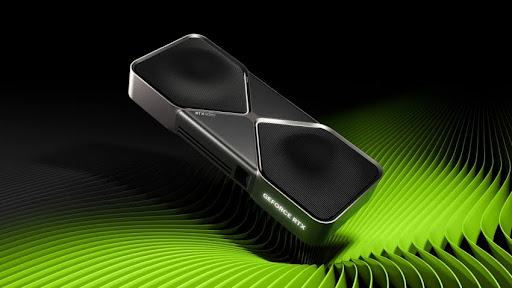
From NVIDIA Official Website
So let’s break some of that down into one spot. You don’t need to be a tech whiz to understand, especially if you want the best one for your future setup.
Let’s start with VRAM or Video RAM. This is one of the most advertised specifications when it comes to GPUs, as it’s directly tied to how well your GPU handles textures, resolutions, and rendering tasks. Just think RAM, but for your GPU, it is the device’s short-term memory. This means that the more you have of it, the more it can store without offloading it to your system. With the games today, I would recommend 12GB at a minimum, as things are only getting larger and larger, so it's better to be prepared for that.

From Tony Babel Official GIPHY
The core clock is next, and it is measured in MHz or GHz. This dandy tech spec tells how fast your GPU cores are operating. Clock speed needs to be considered alongside the number of cores; think of it like your heart rate. A higher “clock” speed usually indicates better performance.
Next up is the Card Bus, often seen as PCIe x16 in modern GPUs. This just refers to how your graphics card connects to your motherboard. Most cards today use PCIe 4.0 x16 or 3.0 x16. The x16 part? That’s how many data lanes the card can use—more lanes, more bandwidth.

From Friends Official GIPHY
Honestly, don’t stress too much about the PCIe versions unless you’re doing something extremely data-intensive or you handle a 4-monitor setup.
We also hear a lot about CUDA Cores or Stream Processors, depending on whether you’re on Team NVIDIA or AMD. These are the actual little workers doing the graphical heavy lifting. More cores usually mean better multitasking on the GPU’s part—rendering shadows, processing lighting, calculating particle effects, etc.

From Bandai Namco Official GIPHY
Lastly, TDP or Thermal Design Power. This might not sound exciting, but it matters. It essentially tells you how much heat your GPU will generate—and by extension, how much power it consumes. A higher TDP means you’ll need better cooling and a stronk PSU.
Don’t skip this if you’re building a rig or upgrading.
Normally, you wouldn’t be checking this out if one weren’t thinking of upgrading. Bullseye? Heh, well, if you plan on gaming or even streaming, you can check out the Avermedia GC311 Live Gamer Mini Capture Device that can improve your streaming experiences further!

AUTHOR
Louigi Balao
Content Writer
Louigi, better known as Gi, is a content writer for Next Upgrade’s Tech and Gaming sections. In his free time, he enjoys long strolls in his house, loves fantasizing about anime ships that will never bear fruit, and constantly complains about his scuffed Korean backdashes. If you need a quick 3 AM chit-chat, he is your guy.